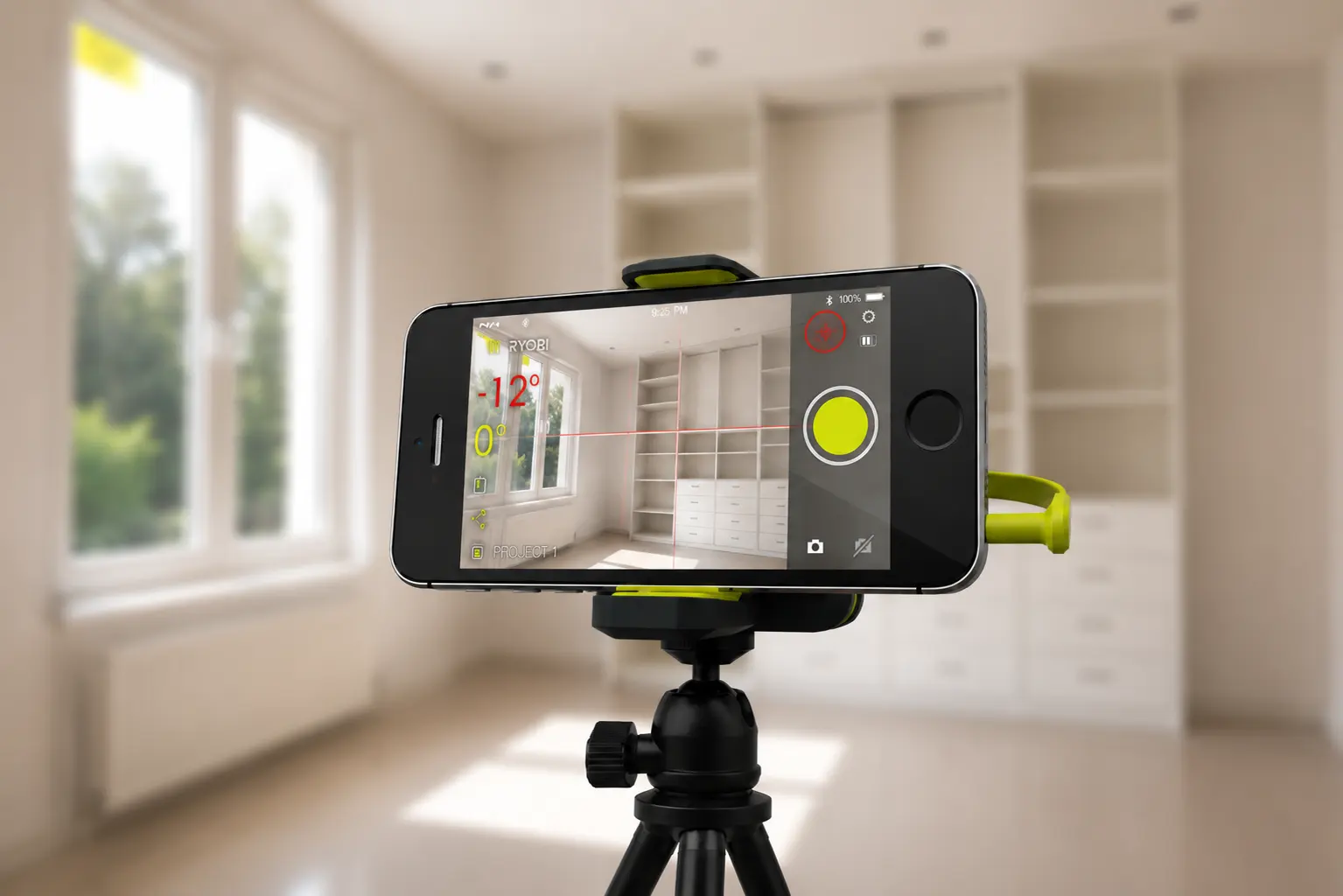
Designed in 2014, for the iPhone and Android phones of that era. The interface here is a decade old and should be read as such. It was also an augmented-reality product two years before ARKit existed.
Snapshot
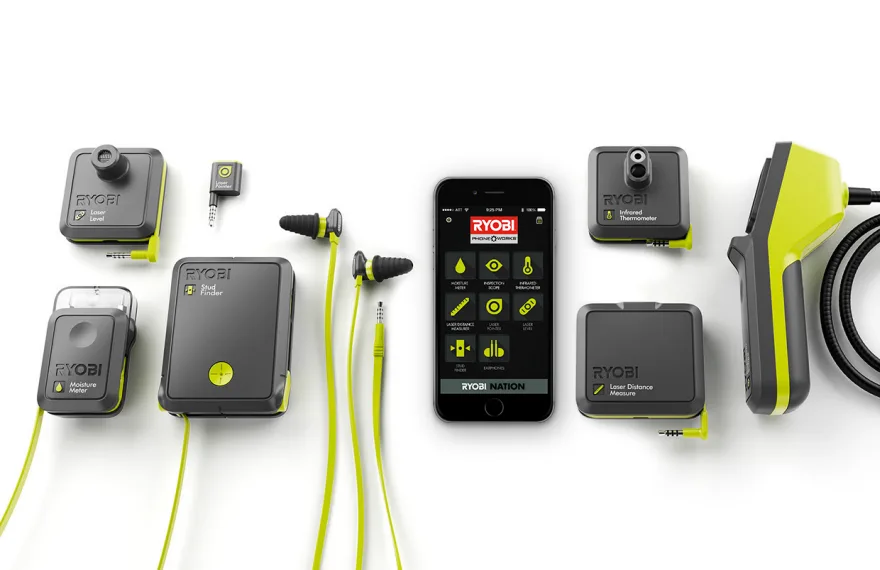
Eight tools, one app
A digital version of an analog tool is easy to get wrong. Mirror a dial on a screen and you have added batteries and a pairing step while taking away reliability.
The way through was to move the work to the phone. Off-board the processing and the display, and the device itself becomes light, compact and cheap to make, while the app supplies what a bare tool never had: a timestamp and a location on every reading, a camera view, typed or voice notes, sharing, and an archive worth going back to.
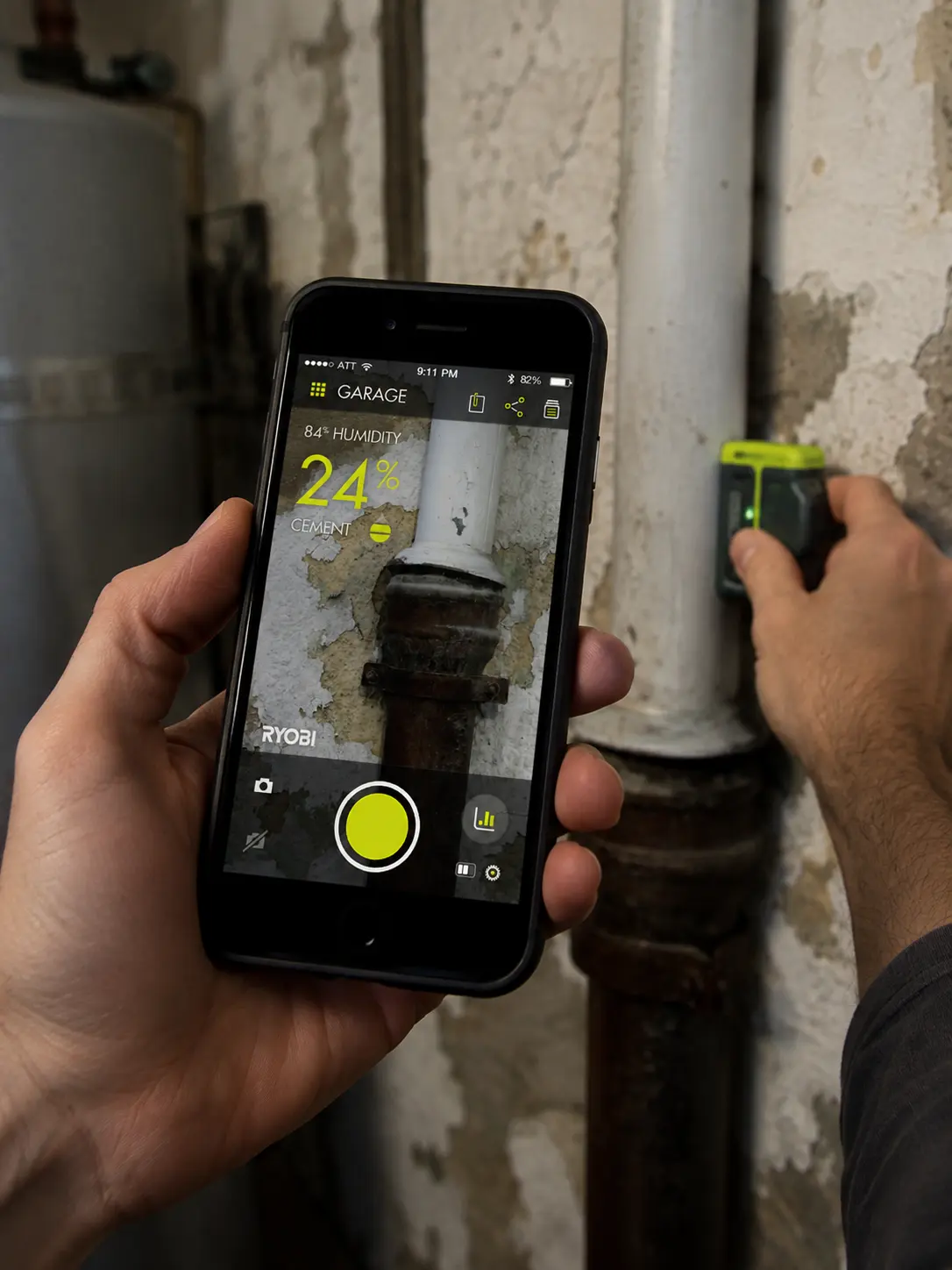
A moisture reading of 24 percent is just a number. Against the day’s humidity, it is a decision.
Augmented reality, in 2014
The camera was the platform. Each measuring tool laid its live reading over the camera feed, so the number sat on the thing you were pointing at instead of on a separate dial.
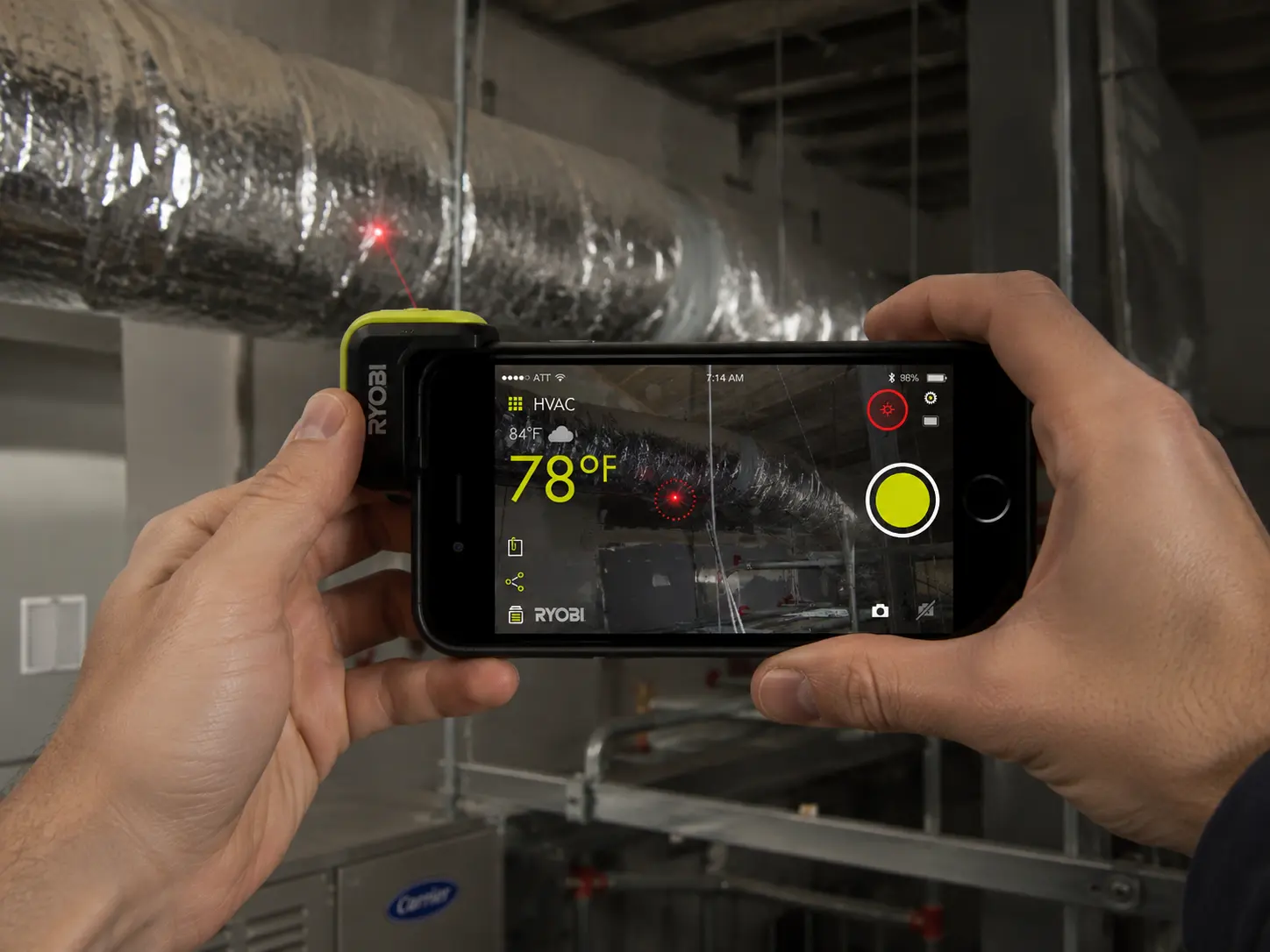
Temperature tracked live. Distance became area and volume. The level read angle off the phone’s own sensors and drew the crosshair on the room. This was two years before ARKit, so all of it was hand-built against the camera and sensors of the day.
One shared language
This was my part and the real difficulty. Each tool had to feel native to its own decades-old use, and all eight had to feel like a single product. So the same spine ran through every screen: the live reading in the same place, one capture control, the same saved record, the same route to history and sharing. Learn one tool and you have learned the next.
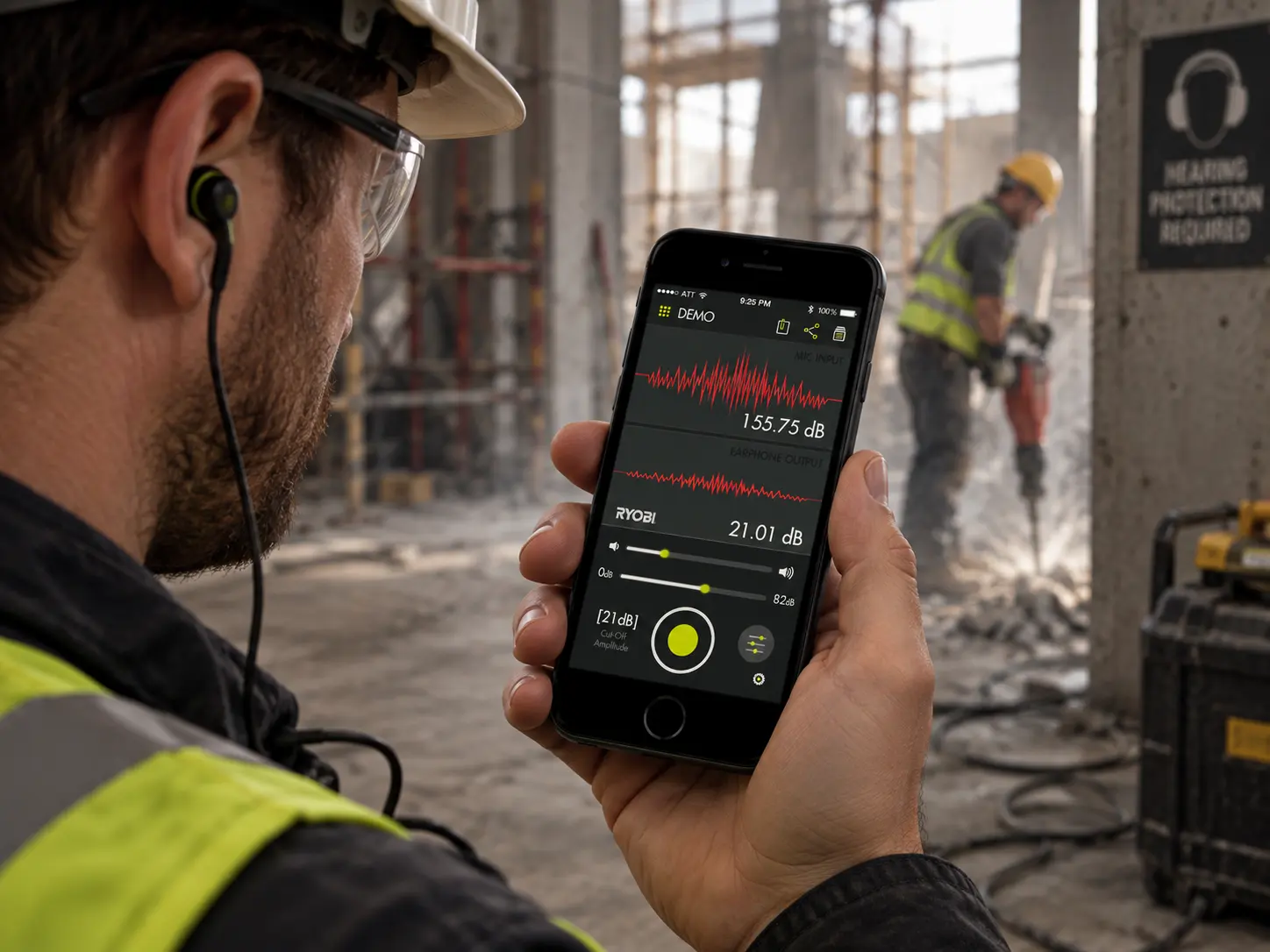
The earbuds were the test of it. They measure nothing and point at nothing. They suppress noise above 82 decibels and let you dial out frequencies by hand. The same grammar still held.
What it taught me
Core77 named it Notable in Interaction in 2015, with the jury calling it a brilliant utilization of the phone as a platform. It was a team’s work at Purpletalk for Techtronic Industries, and I was one of its interaction designers.
The lesson has outlived the interface. When a product is a system of many parts, the design job is the shared language that makes every part feel like one thing in someone’s hands.